



Steiner Shopping Fence configurator
Your shopping cart is being prepared,
we kindly ask for your patience...

Ready to ship: in stock | 4-5 days
Delivery: approx. 8-15 days
Step 1 - Please enter the desired length of the fence here to start the calculation:
Length (m) approx.:
Step 2 - type of fence & Color:
Step 3 - Desired fence height
Step 4 - Variant
Step 5 - fence post
Step 5a - foot plates
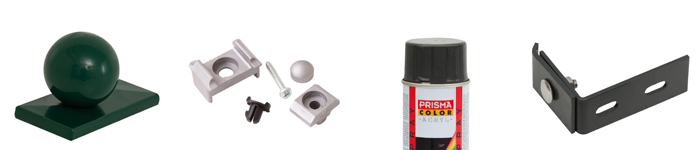
Step 6 - Cover caps for fence posts
Fence configurator
Our fence configurator – find the right one for you!
If you would like to order a fence that fits perfectly, you can use the fence configurator for this purpose. Here you can specify everything that is important to you for your new fence. In our fence configurator, proceed as follows:
1. Specify the fence length
Tell the fence configurator what fence length you need. The specification is in metres. It is sufficient to provide an approximate measurement. You can round off the figure; it does not have to be accurate to the decimal point. To determine the fence length, you should still measure your property. Then you can be sure that the fence you order will surround the intended area.
2. Selection of fence type and colour
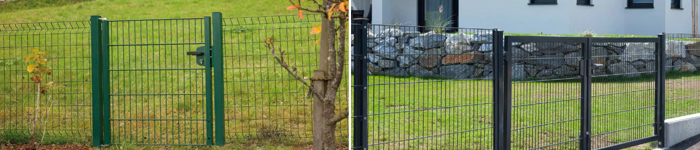
In the next step, specify the type of fence you would like in the fence configurator. We offer various types of fences, which you can view in the images in the fence configurator. Simply choose the type of fence you like best. Please also consider the different characteristics of the fence types and the different prices. You can find more information in the details for each fence type.
You can choose between different colours in the fence configurator.
3. Indication of the amount
Then specify the desired height of the selected fence type. A high fence offers more protection, but also restricts the view. You can also mark the boundaries of your property with a low fence. Like a high fence, this clearly indicates ownership and property boundaries.
4. Selection of the design
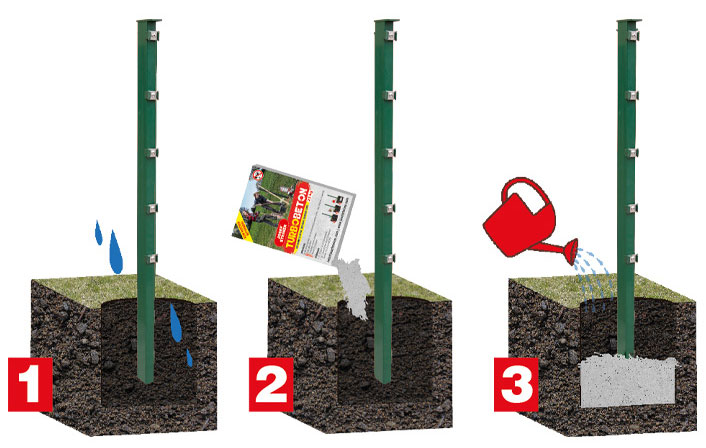
The fence configurator requires you to specify the design of the post. This refers to how the fence post is installed. If necessary, before making your selection, find out which variant works best for you and which you like best.
5. Selection of fence posts
The final step in the fence configurator is to select the fence posts. You can use the images in the fence configurator as a guide.
Finished selecting? Here's what to do next:
After completing the selection process, you will find a summary of your specifications and the corresponding price at the bottom of the configurator. This allows the fence configurator to ensure that everything actually meets your expectations. If you are satisfied with all the specifications, you can then add the fence you have selected to your shopping basket and place your order.
**The old price is the previous sales price
